
How to Complete a 1win iOS App Download: A UK Player’s Guide
UK players looking for a 1win iOS app download should first check whether the service is available to them and whether its terms comply with local rules. An app’s presence on a website does not mean it is authorised for use in Great Britain. The UK Gambling Commission (UKGC) regulates gambling in Great Britain, and players can check its public register to confirm whether an operator holds the necessary licence. Availability, payment methods and product access can vary by location.
This guide explains how to assess the offer, find any official iOS installation instructions and protect your device. It does not assume that an app is available through Apple’s App Store or that a particular installation method is supported. Always verify current information on the operator’s official site and with Apple before proceeding.
Before you download
Start by confirming that you are on the genuine 1win website. Avoid links in unsolicited messages, social-media posts, adverts, or third-party download pages. Check the web address carefully, and do not install a configuration profile, certificate or app file simply because a page claims it is required. Such items can affect device security or expose personal information.
For players in Great Britain, licensing is an essential check, not a minor technical detail. Search the UKGC public register using the operator’s legal name rather than relying solely on branding. If you cannot verify the relevant licence or the service’s permitted status, do not deposit or submit identity documents. People in Northern Ireland should also check the rules that apply in their location.
How to check for an official iOS app
- Visit the official operator website directly. Type the address into Safari rather than following an unknown link.
- Look for an iOS or mobile-app section. Read the installation instructions and any eligibility, age or location requirements.
- Check the App Store listing, if one is claimed. Confirm the developer name and details, and make sure the listing links back to an authentic operator website.
- Compare the instructions with Apple guidance. If the process asks you to install an unfamiliar profile, trust an unknown developer, or bypass a security warning, stop and verify the request independently.
- Do not use unofficial download mirrors. A file hosted by an unrelated site may be altered, outdated or designed to collect data.
If no verified iOS app is offered, the service may provide a mobile website instead. Open the official site in Safari and check whether its mobile version supports the functions you need. A web shortcut added to the Home Screen is not the same as an App Store app, and it does not change whether the operator is authorised to serve you.
Installation and account access
When a legitimate App Store app is available to you, install it through the store and review its developer, age rating, privacy information and requested permissions. Keep iOS updated, use a passcode or biometric lock, and avoid signing in over public Wi-Fi. Enable two-factor authentication if the service offers it, and use a unique password that you do not reuse elsewhere.
For account access, use the official sign-in page or the app obtained through a verified route. The phrase 1win login may appear in search results or promotional links, but search ranking is not proof of authenticity. Before entering credentials, inspect the address bar and confirm that the connection and domain are correct. Never share a one-time code or password with someone claiming to be support.
If you already have an account, review the operator’s rules on age verification, identity checks and location restrictions. Do not try to evade a block with a VPN or false details. Account access can be restricted when information is inconsistent, and attempts to bypass jurisdiction controls may breach terms or local law.
Deposits, withdrawals and responsible play
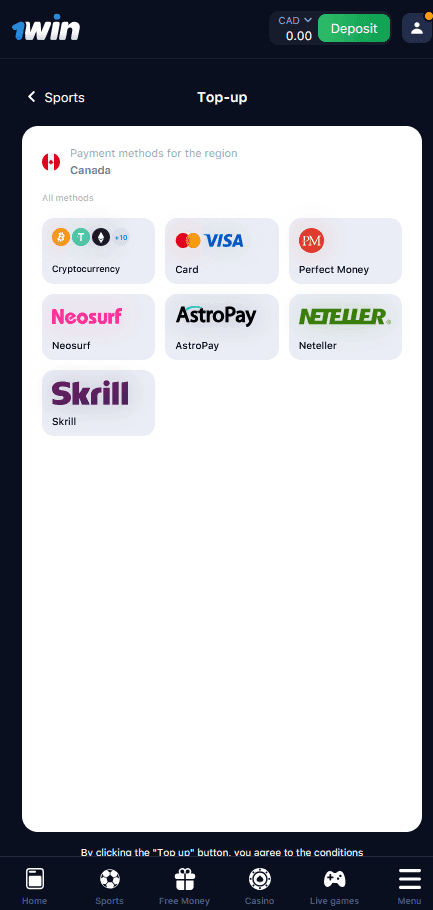
Before making a payment, read the current cashier terms, including minimum and maximum amounts, processing times, fees, supported payment providers and verification requirements. Payment availability can differ between users. Use a payment method in your own name, and keep records of deposits, withdrawals and relevant customer-service conversations.
Promotions should be assessed by their full terms, not just the headline offer. Check wagering requirements, game exclusions, expiry dates and withdrawal limits. If the rules are unclear, ask support for an explanation before opting in. Do not deposit money that you need for bills, borrowing or other essential costs.
Set a spending limit before play and take breaks. Gambling is not a reliable way to make money, and outcomes are uncertain. If gambling is affecting your finances, mood or relationships, stop and seek support. In Great Britain, the National Gambling Helpline can be reached through GambleAware; local support options may differ elsewhere in the UK. Consider using device-level controls, bank gambling blocks and any account tools for deposit limits, time-outs or self-exclusion.
Common iPhone problems
The app is not visible in the App Store
Availability may depend on the region, publisher decisions or whether an app is offered at all. Do not change your Apple Account country just to obtain a gambling app, and do not install a copy from an unofficial source. Check the operator’s official information and Apple’s current policies.
The download or installation fails
Check your internet connection, available storage and iOS version. Restarting the device or updating iOS can resolve ordinary software issues, but it cannot make an unsupported app compatible. If the failure continues, consult Apple’s support resources and the verified operator help channel rather than downloading a replacement file elsewhere.
The mobile site does not work properly
Update Safari and iOS, reload the official page, and check whether content blockers or browser settings are interfering. Avoid granting unnecessary permissions. If a page redirects repeatedly, displays unexpected payment requests or asks for sensitive information in an unusual way, close it and verify the address before trying again.
Questions and answers
Is there an official 1win app for iPhone?
App availability can change and may vary by country. Check the official operator site and the Apple App Store directly; do not treat third-party download pages as confirmation.
Can I use the service from anywhere in the UK?
Not necessarily. Access depends on the operator’s terms, applicable law and the player’s location. Verify authorisation for your specific jurisdiction before creating an account or depositing.
Is a Home Screen shortcut an app?
No. A shortcut opens a website in the browser; it is not an independently installed App Store application. It also does not establish that the service is licensed or suitable for UK players.
What should I do if I installed a suspicious profile?
Stop using the related service, review the profile under iPhone settings, and consult Apple Support for safe removal guidance. Change any password entered through a questionable page, especially if it was reused elsewhere, and contact your bank if payment information may have been exposed.
Final checklist
- Confirm the operator’s legal status with the relevant regulator before gambling.
- Use only a verified App Store listing or clearly documented official mobile website.
- Reject unknown files, certificates, profiles and requests to bypass iOS protections.
- Protect credentials, read payment and promotion terms, and use responsible-gambling tools.
- Stop if the service’s identity, licence or installation instructions cannot be independently verified.
A safe iPhone setup begins with verification, not with the download button. For UK players, checking regulatory status and local availability is just as important as confirming that an app works on iOS. If those checks do not provide a clear answer, do not install the software or send money or identity documents.